
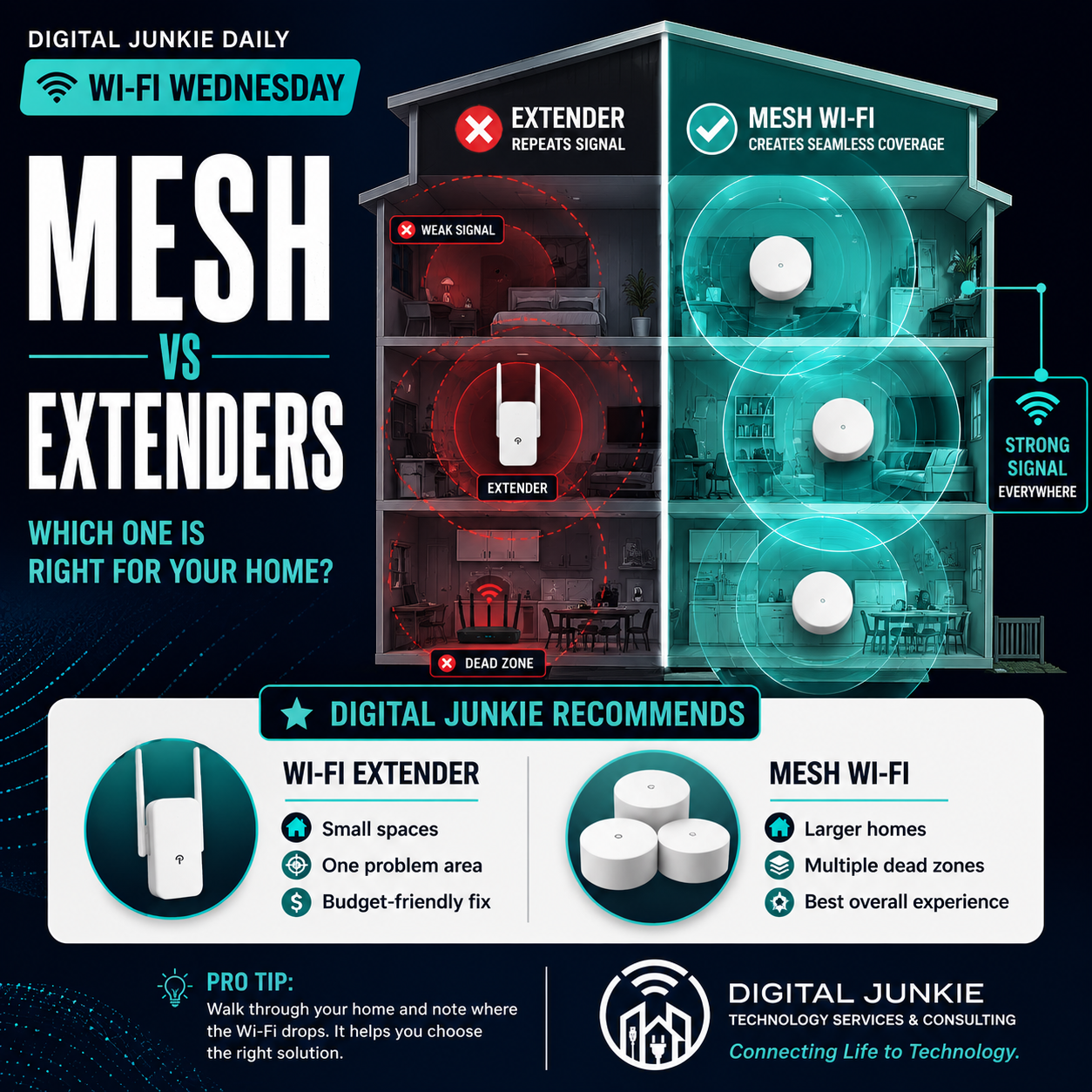
Mesh Wi-Fi vs. Wi-Fi Extenders: Which Is Right for Your Home?
Dead zones, buffering, and weak Wi-Fi don’t always require a faster internet plan. Understanding the difference between a Wi-Fi extender and a mesh system can save you money—and give you a much better wireless experience.
📶 Wi-Fi Wednesday
Every Wednesday I share practical advice to help homeowners and small businesses get the most from their technology. Today’s topic answers one of the questions I hear most often:
“Should I buy a Wi-Fi extender or a mesh system?”
The answer depends on your home, but understanding how each works can save you money, frustration, and a lot of trial and error.
What Is a Wi-Fi Extender?
A Wi-Fi extender does exactly what its name suggests—it extends your existing Wi-Fi signal.
The catch?
It can only repeat the signal it receives.
If the extender is placed where your Wi-Fi signal is already weak, you’re simply repeating a weak connection.
Think of it like trying to repeat a conversation you can barely hear.
If the message coming in isn’t clear, the message going out won’t be either.
A Wi-Fi extender is often a good choice for:
Apartments and smaller homes
One room with weak Wi-Fi
Budget-conscious upgrades
Occasional internet use
What Is a Mesh Wi-Fi System?
A mesh Wi-Fi system uses multiple access points that work together as one seamless network.
Instead of stretching a weak signal, each mesh node helps create strong, consistent coverage throughout your home.
As you walk from room to room, your phone, tablet, or laptop automatically connects to the strongest access point.
No switching networks.
No reconnecting.
No wondering if you’re connected to the “right” extender.
Everything simply works in the background.
Mesh Wi-Fi is usually the better choice for:
Larger homes
Two-story homes
Homes with multiple dead zones
Families with many connected devices
Working from home
Streaming and online gaming
🏆 Digital Junkie Recommends
✅ Wi-Fi Extender
Best for:
Small homes
One problem area
Budget-friendly improvements
✅ Mesh Wi-Fi
Best for:
Larger homes
Multiple dead zones
The best overall Wi-Fi experience
Before You Buy Anything
One mistake I see all the time is people buying new equipment without understanding where the problem actually exists.
Before spending money:
Walk through your home and run a speed test in several rooms.
Is only one bedroom slow?
Or does the Wi-Fi struggle throughout the entire house?
Knowing where the signal drops is often the first step toward choosing the right solution.
🛠️ Try This Before Calling IT
Take a few minutes tonight and make a simple floor plan of your home.
Mark where your router sits.
Then note every room where your Wi-Fi struggles.
You may quickly discover that your problem isn’t your internet speed at all—it’s your Wi-Fi coverage.
💙 Digital Junkie’s Advice
Don’t buy more Wi-Fi. Build better Wi-Fi.
Choosing the right equipment is only part of the equation. Proper placement and thoughtful network design often make a bigger difference than simply purchasing the most expensive hardware.
At Digital Junkie Technology Services & Consulting, I help homeowners and small businesses throughout Central Texas improve Wi-Fi coverage, eliminate dead zones, optimize networks, and choose technology that fits their needs—not just what’s on sale.
Connecting Life to Technology.

Real Story Tuesday: They Thought Their Photos Were Gone Forever
A reminder that your most valuable files are often the ones you can’t replace.
One of the hardest phone calls I receive doesn’t start with, “My computer won’t turn on.”
It starts with something like this:
“All of our family photos are on that drive.”
In an instant, years of memories can feel like they’ve disappeared.
Pictures from birthdays.
Family vacations.
Graduations.
Wedding photos.
Videos of children taking their first steps.
Those files aren’t just data—they’re pieces of our lives that can’t be recreated.
Recently, a customer reached out after an external hard drive suddenly stopped working. Every attempt to open it resulted in error messages, and naturally, they feared the worst.
Don’t Panic… and Don’t Make It Worse
When a drive suddenly becomes inaccessible, many people immediately begin trying every recovery program they can find online. Others repeatedly unplug and reconnect the drive, hoping it will magically start working again.
While those reactions are understandable, they’re not always the safest approach.
In some situations, every additional attempt to access a failing drive can make recovery more difficult.
The best first step is often the simplest:
Stop using the drive until you understand what’s actually wrong.
The Good News
Fortunately, not every drive that appears “dead” has actually lost its data.
Sometimes the drive itself has failed while the information remains recoverable.
Other times the issue is electronic, logical, or related to the file system rather than the data itself.
Every situation is different, which is why proper diagnosis is so important before attempting recovery.
In this case, the customer’s photos, documents, and other important files were successfully recovered.
The relief on their face was worth far more than the hard drive itself.
The Real Lesson Isn’t About Recovery
It’s about preparation.
Computers can be replaced.
External hard drives can be replaced.
Even phones can be replaced.
Your memories cannot.
That’s why I always encourage people to follow a simple rule:
The 3-2-1 Backup Rule
Keep:
3 copies of your important files.
Stored on 2 different types of media.
With 1 copy stored somewhere else, such as secure cloud storage.
It’s one of the easiest ways to protect yourself from hardware failure, theft, fire, or accidental deletion.
⭐ This Week’s Takeaway
Ask yourself one question today:
If your computer or external hard drive stopped working tonight, would your most important photos still exist somewhere else?
If the answer is “I’m not sure,” now is the perfect time to create a backup plan.
Future you will be thankful.
💙 Digital Junkie’s Advice
Backups aren’t for your computer. They’re for your memories.
At Digital Junkie Technology Services & Consulting, I help homeowners and small businesses throughout Central Texas with data recovery, backup planning, networking, computer repair, Wi-Fi optimization, and technology consulting.
Because the best recovery is the one you never have to need.
Connecting Life to Technology.

Tech Tip Monday: Why Your Wi-Fi Is Slow (And It May Not Be Your Internet)
Is Your Internet Actually Slow… or Is Your Wi-Fi the Real Problem?
One of the most common calls I receive starts with the same sentence:
“My internet is so slow.”
Sometimes that’s true—but more often than not, the internet isn’t actually the problem.
Your internet connection and your Wi-Fi network are two different things, and understanding the difference can save you money and a lot of frustration.
Internet Speed vs. Wi-Fi Speed
Think of your internet like the water coming into your house.
Your Wi-Fi is the plumbing that carries that water to every room.
You can have plenty of water coming into the house, but if the pipes are too small, clogged, or too far away, you won’t get great water pressure where you need it.
Wi-Fi works the same way.
You might be paying for fast internet from your provider, but if your wireless signal is weak, your devices won’t see those speeds.
Common Causes of Slow Wi-Fi
Some of the biggest problems I see include:
📍 The router is tucked away in a closet or cabinet.
🏠 The router is located at one end of the house instead of near the center.
🧱 Thick walls, brick, or metal interfere with the wireless signal.
📶 Older routers simply can’t keep up with today’s devices.
📡 Homes have grown larger, but many people still rely on a single wireless router.
In many cases, the solution isn’t buying faster internet—it’s improving the Wi-Fi inside your home.
Before You Upgrade Your Internet Plan…
Many people assume paying for a faster internet package will solve everything.
Sometimes it will.
Often it won’t.
If your Wi-Fi coverage is poor, doubling your internet speed usually won’t fix the problem.
It’s like installing a larger water meter while leaving the same old plumbing inside the house.
🛠️ Try This Before Calling IT
Walk around your home while running a speed test on your phone or laptop.
Test near the router first.
Then test in the rooms where you usually notice slow speeds.
If your speed drops dramatically as you move through the house, your internet may be working just fine—it’s your Wi-Fi coverage that needs attention.
The Bottom Line
Reliable Wi-Fi isn’t about buying the most expensive router or the fastest internet package.
It’s about having the right equipment in the right place for your home.
Whether it’s optimizing your current setup, improving coverage, or designing a better home network, a little planning can make a huge difference in everyday performance.
At Digital Junkie Technology Services & Consulting, I help homeowners and small businesses throughout Austin, Round Rock, Pflugerville, Georgetown, Cedar Park, Leander, Hutto, and surrounding Central Texas get the most from their technology.
Connecting Life to Technology.
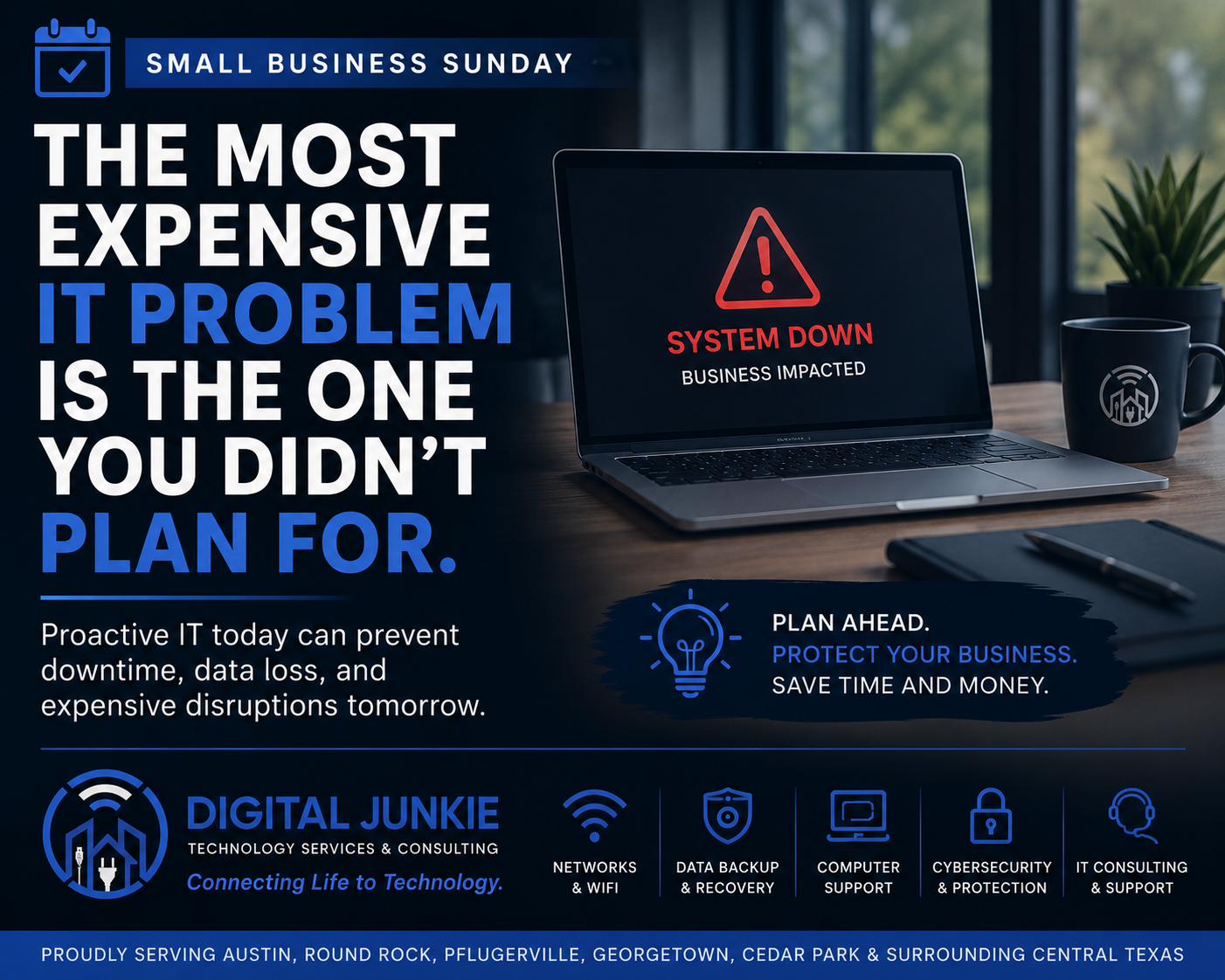
The Most Expensive IT Problem Is the One You Didn’t Plan For
Every small business owner plans for the obvious.
You carry insurance on your building. You insure your vehicles. You lock your doors at night and hope you’ll never have to use those policies.
But there’s one part of the business many owners don’t think about until it’s too late.
Technology.
I’ve been called into businesses because the internet suddenly stopped working. Servers failed. Hard drives died. Credit card systems went offline. Employees couldn’t access files. In almost every case, the biggest expense wasn’t replacing the equipment—it was the downtime.
When your technology stops, your business often stops with it.
It’s Not About Fancy Technology
A lot of people assume improving their IT means buying the newest computers or replacing everything at once.
Most of the time, that’s not true.
The goal isn’t to have the newest technology.
The goal is to have reliable technology.
Sometimes that means replacing aging equipment before it fails. Other times it means improving your Wi-Fi, organizing your network, creating a proper backup strategy, or simply documenting passwords and account information so you’re not scrambling during an emergency.
Small improvements made today can prevent major headaches tomorrow.
Ask Yourself These Questions
If your primary office computer failed tomorrow morning…
Could you keep working?
Are your important files backed up?
Does someone know how your network is configured?
Would your employees still be productive?
How long would your business be down?
If any of those questions make you pause, you’re not alone.
Most businesses are so focused on serving customers that technology planning gets pushed to the bottom of the list—until something breaks.
Prevention Costs Less Than Downtime
One hour of downtime can easily cost more than months of preventative maintenance.
Whether it’s missed sales, frustrated customers, delayed projects, or employees waiting for systems to come back online, the hidden costs add up quickly.
The best IT support isn’t just about fixing problems.
It’s about preventing them in the first place.
This Week’s Business Tip
Take 15 minutes this week and write down the answers to these three questions:
Where are my important business files stored?
How are they backed up?
If my main computer failed tomorrow, what’s my plan?
If you don’t have clear answers, don’t panic—but don’t ignore it either. Having a plan before you need it is one of the best investments you can make in your business.
At Digital Junkie Technology Services & Consulting, I help small businesses throughout Austin, Round Rock, Pflugerville, Georgetown, Cedar Park, Leander, Hutto, and the surrounding Central Texas area build reliable technology they can depend on. Whether it’s networking, Wi-Fi optimization, backup planning, computer support, or ongoing IT consulting, my goal is simple: keep your technology working so you can focus on running your business.
Connecting Life to Technology.
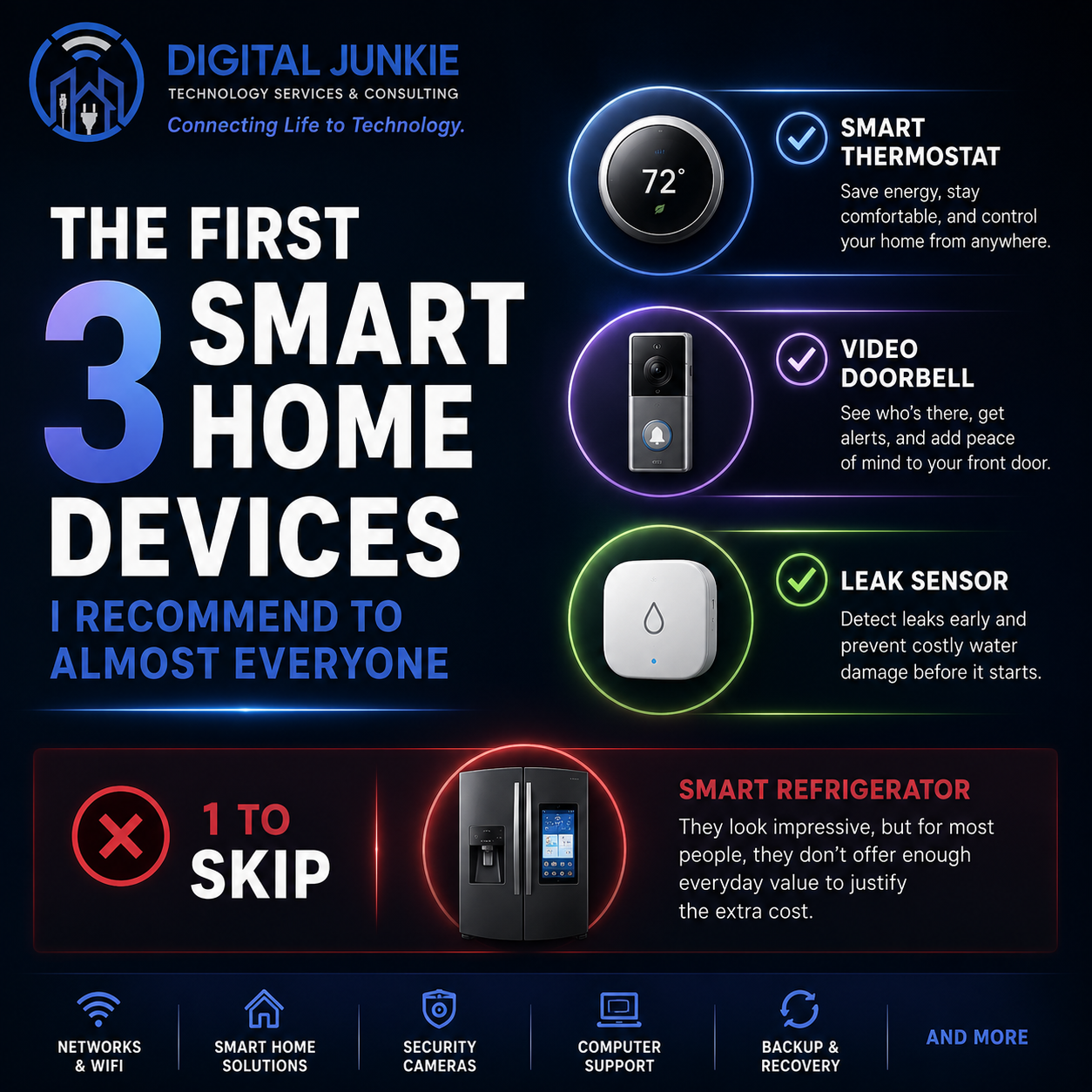
The First 3 Smart Home Devices I Recommend to Almost Everyone
Smart Home Technology That Actually Makes Everyday Life Better
Walk into any electronics store today and you’ll find shelves full of “smart” devices promising to make your life easier. The problem is that not every smart home gadget is worth your money.
As someone who installs and supports smart home technology for homeowners throughout Austin, Round Rock, Pflugerville, Georgetown, Cedar Park, and the surrounding Central Texas area, I’m often asked where someone should start.
My answer is almost always the same.
1. Smart Thermostat
If I could only recommend one smart home device, this would be it.
A quality smart thermostat helps keep your home comfortable while reducing energy usage. Whether you’re leaving for work, coming home from vacation, or simply want to adjust the temperature from your phone, it’s one of those upgrades you’ll use every single day.
It’s practical, reliable, and often pays for itself over time through energy savings.
2. Video Doorbell
A video doorbell adds both convenience and security.
Whether you’re checking on a package delivery, seeing who’s at your front door, or talking with a visitor while you’re away, it’s one of the easiest ways to make your home feel a little safer.
The good news is you don’t have to lock yourself into one particular ecosystem. There are several excellent options available, and choosing the right one depends on your needs and whether you prefer local storage or cloud-based features.
3. Smart Leak Sensor
This is probably the most underrated smart home device available today.
A small leak under a sink, behind a washing machine, or around a water heater can cause thousands of dollars in damage before anyone notices.
A smart leak sensor sends an alert the moment it detects water, giving you the opportunity to address a problem before it becomes a major repair.
For the small investment they require, leak sensors offer some of the best protection you can add to a home.
The One I’d Skip
Smart Refrigerators
They’re impressive to look at, but for most homeowners I don’t think they’re the best place to spend your money.
Features like recipe suggestions, calendars, weather displays, and touchscreens sound exciting, but most people already have those same tools on the phone in their pocket.
I’d rather invest in technology that improves comfort, enhances security, lowers utility bills, or helps prevent expensive repairs.
Buy Smart, Not Just Smart Home
The best smart home products are the ones that quietly improve your everyday life without adding unnecessary complexity.
If you’re thinking about upgrading your home but aren’t sure which products are worth buying—or which brands fit your needs—I’d be happy to help you choose the right solution before you spend your money.
At Digital Junkie Technology Services & Consulting, I help homeowners and small businesses throughout Central Texas with smart home installation, Wi-Fi optimization, networking, security cameras, computer repair, and technology consulting.
Connecting Life to Technology.

Prime Day is Here June 23–26: Great Tech Deals, Less Tech Stress
igital Junkie Prime Day tech setup and installation help for smart TVs, Wi-Fi systems, security cameras, smart home devices, and consumer electronics in Austin, Pflugerville, Round Rock, and Central Texas.
Amazon Prime Day is here from June 23–26, which means it is officially that magical time of year when people buy smart TVs, Wi-Fi systems, security cameras, smart home gadgets, streaming devices, laptops, soundbars, and random tech accessories they may or may not fully understand.
And honestly? That’s okay. We’ve all been there.
You find a great deal, click Add to Cart, and two days later there’s a box on your porch promising “easy setup.” Then somehow you’re sitting on the floor surrounded by cables, your phone app won’t connect, your Wi-Fi password suddenly feels like state-secret information, and the device is blinking at you like it knows you’re losing.
That’s where Digital Junkie Technology Services & Consulting comes in.
Buy the Deal. Let Us Handle the Setup.
Prime Day is a great time to save money on consumer electronics, but buying the right device is only half the battle. The real fun starts when it needs to be installed, connected, mounted, configured, updated, paired, synced, or convinced to stop flashing blue.
Digital Junkie helps homeowners and small businesses in Austin, Pflugerville, Round Rock, Georgetown, Hutto, Cedar Park, Leander, Taylor, and surrounding Central Texas areas with tech setup, smart home installation, Wi-Fi troubleshooting, TV mounting, home office setup, security cameras, video doorbells, and consumer electronics installation.
Basically, if it plugs in, connects to Wi-Fi, needs an app, or came with instructions written in microscopic print, we can probably help.
Prime Day Tech Worth Looking At
This is a good time to shop for:
Smart TVs and TV mounts
Soundbars and home theater equipment
Mesh Wi-Fi systems and routers
Security cameras and video doorbells
Smart locks, thermostats, and smart home devices
Streaming devices
Laptops, monitors, printers, and home office tech
Backup drives, cables, docks, and accessories
But not every “deal” is actually a good deal. Sometimes the cheapest camera needs a subscription. Sometimes the fancy router is overkill. Sometimes the TV is great but the mount, cables, and setup plan are not.
A bargain stops being a bargain when it turns into a three-hour argument with your living room.
Need Help Choosing What to Buy?
Digital Junkie can help before you buy, too.
If you’re not sure which Prime Day tech deal makes sense for your home, office, Wi-Fi setup, security needs, or budget, we can help you compare options and avoid buying something that looks great online but becomes annoying in real life.
We can help with:
Product advice before you order
TV installation and mounting
Smart home setup
Mesh Wi-Fi installation
Home network setup
Security camera installation
Video doorbell setup
Printer and computer setup
Small business IT support
General tech troubleshooting
Prime Day Should Save You Money, Not Test Your Patience
Take advantage of the Prime Day discounts from June 23–26, but don’t let the setup ruin the fun.
You shop the deals.
We make the tech work.
Digital Junkie Technology Services & Consulting
Connecting Life to Technology
Why Adding Smart Home Devices Slows Down Your Wi-Fi — And What to Do About It
If you've noticed your internet feeling sluggish lately — videos buffering, video calls dropping, Alexa taking forever to respond — you're not imagining it. One of the most common tech complaints I hear from Austin homeowners is that their Wi-Fi was fine until they started adding smart home devices. A thermostat here, a few cameras there, some smart bulbs, a video doorbell — and suddenly everything feels slow.
Here's the good news: this is a completely solvable problem. Here's what's actually happening and what you can do about it.
Why smart devices slow down your Wi-Fi
Every device you connect to your Wi-Fi network — whether it's a laptop, a security camera, or a smart plug — competes for bandwidth and "airtime" on your router. A typical Austin home in 2026 has anywhere from 20 to 40 connected devices. While most smart home gadgets (smart lights, plugs, locks) use very little data on their own, they still create constant background traffic: checking for commands, downloading firmware updates, and syncing with the cloud.
The bigger bandwidth consumers are security cameras, smart TVs, and video doorbells. A single 1080p security camera can use 1–2 Mbps continuously. If you have four cameras running around the clock, that's up to 8 Mbps constantly chewing through your connection — before anyone in your house streams a single video.
Add a few people working from home, a gamer, and kids streaming, and you can see how a 100 Mbps internet plan can start to feel painfully slow.
The other problem: Wi-Fi dead zones
Many Austin homes — especially larger ones, two-story houses, or homes with thick walls — have areas where the Wi-Fi signal is weak or nonexistent. Smart devices placed in these dead zones (like a camera at the back of the garage or a smart lock on the front door) struggle to maintain a stable connection, causing them to repeatedly reconnect. Every reconnect creates a small burst of network traffic and slows things down further.
5 things you can do right now
1. Restart your router. Sounds basic, but most routers benefit from a restart every few weeks. Power it off, wait 30 seconds, power it back on.
2. Check how many devices are connected. Log into your router's app (most modern routers have one) and see how many devices are actually connected. You may find old phones, tablets, or neighbor devices you forgot about still eating up your bandwidth.
3. Move your router to a central location. If your router is tucked in a closet or in one corner of the house, moving it to a more central location can dramatically improve coverage.
4. Separate your smart devices onto a guest network. Most modern routers let you create a separate Wi-Fi network. Put your smart home devices on it and keep your computers, phones, and streaming devices on the main network. This stops your Ring camera from competing with your Zoom call.
5. Consider a mesh Wi-Fi system. If you have dead zones or a larger home (over 2,000 sq ft), a mesh system with multiple nodes is the single biggest upgrade you can make. Systems like Eero, Google Nest Wifi, or Orbi blanket your entire home with strong, consistent signal.
When DIY isn't enough
Sometimes the fix isn't just a router reboot — it requires actually understanding your home's layout, your internet plan, and how your devices are configured. If you've tried the basics and your Wi-Fi still struggles, it's worth having someone take a proper look.
At Digital Junkie, I help Austin homeowners untangle exactly these kinds of problems. I'll assess your current setup, identify the bottlenecks, and recommend the most cost-effective fix — whether that's a mesh system, a network configuration change, or something else entirely.
Call (737) 400-6482 or visit my Wi-Fi & Networking page to learn more. Most jobs can be scheduled within the same week.
Tags:
#wifi #smart home #networking #Austin TX #slowinternet #hometech
New Year, New Tech Habits: 7 Simple Fixes That Make Your Technology Work For You in 2026
The start of a new year usually brings resolutions about health, finances, and productivity—but one area most people overlook is technology.
Ironically, tech is the thing we rely on every single day, yet it’s often ignored until something breaks, slows down, or causes stress. After working with individuals and small businesses across the Austin area, I’ve learned something important:
Most tech problems aren’t caused by “bad technology.”
They’re caused by neglect, clutter, and poor setup.
The good news? You don’t need to buy all new gear or overhaul everything to make a big difference. Here are 7 simple tech habits you can adopt this year to make your technology more reliable, secure, and less frustrating.
1. Reset Your Password Habits (Once and for All)
If you’re still reusing passwords—or relying on your browser to remember everything—this is the year to fix that.
A proper password manager:
Creates strong, unique passwords for every site
Syncs across devices
Protects you if one account is compromised
This single change dramatically reduces account takeovers, email hacks, and “I’m locked out” moments.
New Year habit: One strong master password + a password manager = peace of mind.
2. Make Sure Your Backups Actually Work
Many people think they’re backed up… until they aren’t.
Photos, documents, business files, and memories should exist in at least two places:
One off-site (cloud backup)
One local (external drive or NAS)
As an IT consultant, data recovery is one of the most stressful services I provide—mostly because it’s often preventable.
New Year habit: Verify backups now, not after data is gone.
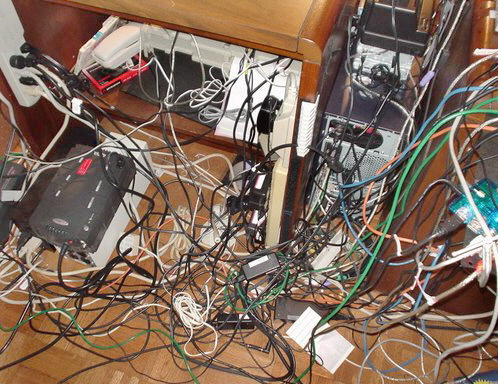
3. Declutter Your Devices (Software and Hardware)
Over time, devices collect:
Unused apps
Startup clutter
Old user accounts
Random cables and accessories
This slows systems down and creates confusion—especially in shared or business environments.
New Year habit: Remove what you don’t use, simplify what remains, and organize what matters.
4. Give Your Wi-Fi a Health Check
Wi-Fi issues are one of the most common tech complaints I hear—and they’re rarely caused by internet speed.
Most problems come from:
Poor router placement
Outdated networking equipment
Interference
Weak security settings
A proper Wi-Fi assessment can improve coverage, performance, and security without changing your internet provider.
New Year habit: Treat Wi-Fi like infrastructure, not an appliance.
5. Don’t Throw Away Old Computers—Repurpose Them
That “slow” old laptop or desktop may still have plenty of life left.
With the right setup, older machines can become:
Backup servers
Media servers
Home labs
Lightweight Linux systems running modern tools
This is often more cost-effective—and more powerful—than buying new hardware.
New Year habit: Reuse before you replace.
6. Properly Separate Work and Personal Technology
Blending work and personal tech leads to:
Security risks
Lost or overwritten files
Account sync issues
Compliance problems for small businesses
Even simple separation—different user accounts, storage locations, or devices—can make a huge difference.
New Year habit: Clear boundaries between work and personal technology.
7. Have a Go-To Tech Person Before Something Breaks
The worst time to look for IT help is during an emergency.
Whether it’s:
A failed update
A hacked email account
A broken computer
A new device setup
Having someone who already understands your environment saves time, money, and stress.
New Year habit: Build a relationship, not just a repair ticket.
What I See Every January
Every year starts the same way:
“This computer was working fine last year…”
“I thought it was backing up…”
“We’ve always done it this way…”
January is when small issues finally surface—and when fixing them early prevents much larger problems later in the year.
✅ Start the Year With Technology That Works for You
You don’t need more gadgets.
You need better habits, smarter setup, and reliable support.
I help individuals and small businesses in Austin simplify their technology, improve reliability, and reduce stress—without unnecessary upgrades or confusing jargon.
🔧 New Year Tech Checkup
Feeling overwhelmed or unsure where to start?
I offer a New Year Tech Checkup for individuals and small businesses that includes:
Device and network review
Backup and security verification
Wi-Fi performance assessment
Recommendations to improve reliability and reduce risk
📞 Call or Text: (737) 400-6482
📧 Email: eherring@digitaljunkie.tech
Start the year with confidence—before small tech issues turn into big ones.
Tags:
#NewYearTechTips #ITSupportAustin #SmallBusinessIT #HomeITServices #WiFiOptimization #DataBackup #Cybersecurity #DigitalJunkie

Reviving Old Computers: Why “Slow” Doesn’t Mean “Dead” (and How Linux Brings Them Back to Life)
Your old computer might feel slow, but it’s far from useless. With Windows 10 officially end of life, now’s the perfect time to revive it — by reinstalling Windows or switching to Linux. I’ll show you how I turned an old Dell into a fast, reliable home server running Plex and cloud storage
If your old computer feels sluggish, taking forever to open apps or boot up, it’s easy to assume it’s time to toss it and buy something new. But before you do, hear this: slow doesn’t mean dead. Especially now that Windows 10 has officially reached End of Life, there’s never been a better time to breathe new life into an old machine and make it useful again.
Windows 10 Is Done — But Your Computer Isn’t
Microsoft has stopped releasing security updates and support for Windows 10. For many people, that sounds like the end of the line. But the truth is, the hardware inside your old computer is often still perfectly capable — it’s the operating system that’s holding it back.
Sure, you could upgrade to Windows 11 if your system meets the requirements, but what if it doesn’t? Or what if it runs like a snail afterward? That’s where the fun begins — because there’s a whole world of possibilities waiting beyond the blue Windows logo.
Two Powerful Ways to Bring a Computer Back to Life
Option one is simple: reinstall Windows. A fresh installation clears out years of clutter, resets the system, and often restores performance to “like new.” It’s a great move if your system still supports Windows 11 or if you want to stay in familiar territory.
Option two — and my personal favorite — is installing Linux. It’s fast, secure, and free. For older computers, Linux can feel like switching from heavy boots to running shoes. There are lightweight versions that make even decade-old PCs feel brand new again. Plus, Linux opens the door to all kinds of cool, powerful uses that go far beyond the basics.
How I Turned My Old Dell Desktop Into a Powerhouse
When I first started experimenting, I took an older Dell desktop that was collecting dust and installed Linux Server on it. That one change turned it from a slow, outdated workstation into something incredible.
Now, that same “retired” computer runs:
Databases that store and organize project data
A Plex Media Server that streams movies and family videos to every screen in the house
And my own personal cloud storage, letting me securely access files from anywhere — without paying a monthly subscription fee
That’s the magic of repurposing old tech: it saves money, reduces waste, and gives you total control over your setup.
Save Money, Reduce E-Waste, and Learn Something New
Reviving an old computer isn’t just good for your wallet — it’s good for the planet. Every system you rescue from the landfill cuts down on e-waste and energy waste. And the bonus? You might discover a whole new side of computing: learning Docker, setting up a local server, or just enjoying how fast your “old” machine feels again.
How Digital Junkie Can Help
At Digital Junkie Technology Services & Consulting, I help people in the Austin and Pflugerville area take those same steps — from reinstalling Windows to setting up Linux systems that run faster, cleaner, and more securely than ever before. Whether you want to transform your home computer into a media hub, set up cloud storage, or just get your old PC running like new again, I’ll make sure it’s done right.
Don’t throw that computer away. Let’s bring it back to life — together.
Because at Digital Junkie, we’re all about Connecting Life to Technology.
Squarespace / Blog Tags:
#ReviveOldComputer #Windows10EndOfLife #LinuxServer #OldPCTech #Docker #PlexMediaServer #PersonalCloud #ReduceEWaste #TechSolutions #DigitalJunkieTech #ConnectingLifeToTechnology

Windows 10 Has Reached End of Life — What’s Next for Your Home or Your Business?
Windows 10 has officially reached its end of life, meaning no more security updates or support from Microsoft. Now is the time to plan your next move—whether upgrading to Windows 11, replacing aging PCs, or exploring alternative systems. Digital Junkie Technology Services & Consulting can help you transition smoothly and securely.
It’s official: on October 14, 2025, Microsoft ended support for Windows 10. What that means in plain terms is your PC may continue to work, but it will no longer receive the security updates, bug fixes or technical support that kept it safe and up-to-date. For businesses and individuals alike this milestone signals that the era of Windows 10 is winding down—and that being proactive is the smartest move.
One of the most important things to understand is that even though your device may look just like it did yesterday, running the same apps, the underlying risk profile has changed. Without ongoing patches, any newly discovered vulnerability could expose your machine—and your data—to malware, ransomware or other threats. So whether you’re running a practice management workstation in a dental or chiropractic office, managing sensitive client records, or just using a PC for day-to-day tasks, it’s time to ask: what’s next?
The most direct option is to upgrade to Windows 11. Microsoft positions it as the natural evolution—modern, efficient, built for the security demands of today’s world. If your hardware qualifies and you’re ready, this path keeps you current and supported. But you must check compatibility, plan for potential driver and software updates, and ensure that your workflows aren’t disrupted.
If upgrading in place isn’t practical—maybe your current hardware doesn’t support Windows 11, or you’d rather wait—there is still a bridge option. Microsoft offers an Extended Security Updates (ESU) program to buy more time, albeit with limitations. It’s not a long-term solution, but it helps reduce risk while you plan your move.
On the flip side, this may be the moment to evaluate a full refresh of your hardware environment. Replacing older PCs with Windows 11-ready systems gives you the opportunity to rethink performance, reliability, energy consumption—and even your lifecycle planning. It’s an especially good moment for a business to assess whether the workstations in use are aligned with current standards for security and efficiency.
From a consulting perspective—right in the sweet spot for Digital Junkie Technology Services & Consulting—this transition is a strategic moment. We can help you assess which of your systems are eligible for upgrade, perform compatibility checks (for example TPM 2.0, supported CPU, driver availability), prepare data backups before any major change, and execute the migration in a way that minimizes downtime and preserves your business continuity.
Alongside the OS upgrade or replacement strategy, we can also assist in strengthening your supporting infrastructure: ensuring your mesh Wi-Fi network is robust, your backup systems are verified, your security cameras (which you install and manage) are properly integrated into your network, and your users are educated about how the change affects day-to-day habits. Because switching the OS won’t address everything—you also want to make sure users & devices remain secure, productive, and well-supported.
If you’re running critical applications—such as a dental practice management suite like Eaglesoft or imaging systems like Dexis—it’s vital to test those on the new platform before broadly deploying. You don’t want to end up in a situation where you upgraded the OS but then found a key piece of software wasn’t working reliably. That kind of scenario is exactly where IT solutions architecture matters—and that’s where I step in: as a solutions architect, I’ll work with you to map your environment, identify risks, recommend the migration path that suits your business (not someone else’s), and supervise the rollout so your team stays productive.
In short: the end of life for Windows 10 is a milestone, not a moment to panic. It’s a call to action: evaluate, plan, execute. If you’d like help with an upgrade audit, a hardware refresh roadmap, or a full rollout of Windows 11 with minimal business interruption, reach out to me at Digital Junkie Technology Services & Consulting and we’ll get you covered.
Let’s turn this transition into an opportunity for greater stability, security and productivity.
#Windows10EndOfLife #Windows11Upgrade #MicrosoftSupport #CyberSecurity #ITConsulting #DigitalJunkieTech #AustinITSupport #DataProtection #PCUpgrade #SmallBusinessIT #ConnectingLifeToTechnology

Windows 10 End of Life Is Coming – What It Means for You and How to Prepare
Whether you’re a homeowner browsing the web or a business owner managing a network, it’s time to take action: Microsoft is officially ending support for Windows 10 on October 14, 2025.
That may sound like it’s far off—but the reality is, waiting until support is gone can put your system, data, and even your business at serious risk.
At Digital Junkie Technology Services & Consulting, we’re already helping clients across Austin, Pflugerville, Round Rock, and surrounding areas prepare for this major shift. Here’s what you need to know—and how we can help you stay secure and compliant.
🚫 What Does “End of Life” Mean for Windows 10?
When Microsoft ends support for an operating system, it means:
No more security patches or updates
No technical support or bug fixes
Gradual loss of compatibility with apps and online services
Even if your system is working fine today, running an unsupported version of Windows will quickly make you vulnerable to viruses, malware, ransomware, and data breaches.
🔐 Why This Is a Big Deal for Homes
and
Businesses
For Residential Users:
Your personal files, photos, passwords, and financial data could be exposed.
Everyday tools like web browsers, antivirus software, and banking apps may stop supporting Windows 10.
For Business Owners:
Continuing to use Windows 10 could lead to non-compliance with HIPAA, PCI-DSS, and other industry regulations.
Cybersecurity insurance policies often require supported systems; running outdated software could void your coverage.
A breach or system failure could result in data loss, downtime, or legal liability.
🖥️ Is Your System Ready for Windows 11?
Not every PC or laptop is capable of running Windows 11. The new OS requires specific hardware capabilities, and many older machines won’t meet the minimum requirements.
Before you attempt to upgrade, it’s critical to check whether your hardware is compatible. That’s where we come in.
🚀 Why You’ll Love Windows 11
Upgrading isn’t just about staying secure—it’s also about unlocking a better experience.
Windows 11 offers:
Advanced security features to protect against modern threats
Faster performance and improved efficiency
A clean, modern interface with productivity tools like Snap Layouts and virtual desktops
Ongoing support from Microsoft, keeping you ready for future updates
🛠️ How Digital Junkie Can Help
We make the transition smooth, whether you’re upgrading one device at home or rolling out Windows 11 across your entire office.
Here’s what we offer:
✅ System Compatibility Checks
We’ll evaluate your current setup and tell you whether it’s ready for Windows 11—or what needs to be updated.
✅ Data Backup & Upgrade Support
We’ll protect your files, perform a clean install of Windows 11, and ensure everything is restored and functioning post-upgrade.
✅ Business Refresh Projects
For offices, we offer bulk upgrade plans, downtime management, staff support, and help ensuring compliance with industry regulations.
✅ Remote or On-Site Help
Whether you need in-person service or virtual support, we’ve got flexible options to suit your needs.
⏳ Don’t Wait Until It’s Too Late
Don’t wait until after support ends to take action. By then, you’ll be competing with thousands of others scrambling to upgrade, replace hardware, or fix problems that could have been prevented.
Taking action now means:
Less stress
Lower upgrade costs
Stronger data protection
Peace of mind for your home or business
📞 Let’s Get Started Today
We’re proud to be Austin’s trusted partner for IT support, Windows upgrades, and small business technology solutions. If you’re unsure where to start, we’re happy to help.
Contact Digital Junkie Today:
📍 Serving Austin, Pflugerville, Round Rock, and surrounding areas
📞 (737) 400-6482
📧 eherring@digitaljunkie.tech

Digital Junkie’s Guide to Supporting Small Businesses in Central Texas
Where IT Support Meets BBQ, Deadlines, and Dusty Wi-Fi Routers
If there’s one thing we know about small business owners in Central Texas, it’s that y’all are too busy running the show to deal with printers that won’t print or internet that cuts out during a Zoom call. And that’s exactly why Digital Junkie Technology Services & Consulting exists — to take the tech stress off your plate so you can focus on doing what you do best, whether that’s defending clients in court or perfecting your brisket recipe.
The Heart of Texas, The Headaches of Tech
Central Texas is home to some of the most passionate, creative, and hardworking entrepreneurs out there. We’ve helped law firms in Round Rock, dental offices in Georgetown, chiropractors in Pflugerville, and family-owned shops right here in Austin. And you know what they all have in common? At some point, they’ve all looked at a computer screen like it personally insulted them.
When your business depends on fast, secure, and reliable technology, the smallest hiccup can throw off your entire day. That’s why we offer everything from network troubleshooting and diagnostics to server administration, data protection, security camera installations, and custom IT consulting designed specifically for small businesses.
Real IT Support, Not Just “Turn It Off and On Again”
Let’s be honest. A lot of IT support feels like it came from a bored chatbot or someone halfway across the world who thinks Pflugerville is a typo. With Digital Junkie, you get real, local help. We’re based right here in Austin, and we understand the quirks of doing business in Central Texas — like when your internet mysteriously drops during every rainstorm or when your old firewall thinks every website is dangerous (even your own).
We bring a personalized, face-to-face approach to IT support. No one-size-fits-all fixes. No jargon unless you’re into that kind of thing. Just clear communication, fast service, and long-term solutions.
What Makes Digital Junkie Different?
Aside from the fact that we actually answer the phone when you call? We focus on relationship-first IT consulting. We don’t just patch up your tech problems and disappear like a bad Tinder date. We become part of your team — the behind-the-scenes tech nerds who make your Wi-Fi fly, your backups automatic, and your security cameras smarter than a raccoon at 2 AM.
We’ve worked with a wide range of businesses, so whether you run a solo law office, a 10-chair dental practice, or a mom-and-pop store that just needs secure data backups and reliable Wi-Fi, we’ve got your back. And yes, we support Macs, because this is Austin — of course you’re using a Mac.
Let’s Talk About Search Engines (Because We Know You Googled Us)
You probably found this post by searching something like “best IT support for small businesses in Austin”, “network troubleshooting Round Rock”, or “local IT consultant near me”. That’s not just SEO magic — that’s the exact kind of service we offer, every single day.
We help with:
Small business IT support in Central Texas
Austin IT consulting for law firms
Data backup solutions for dental offices
Security camera installation in Austin
Server setup and ongoing support for small offices
You name it, we’ve probably handled it. (Except alien tech… for now.)
We Make Tech Work So You Don’t Have To
Running a business is tough. Tech should make it easier — not harder. That’s why Digital Junkie exists. We’re here to be your secret weapon in a world full of frozen screens, sketchy routers, and email servers with attitude problems.
So if you’re a small business owner in Central Texas and you’re tired of battling your own tech, give us a call. We’ll swing by, check out your setup, and give you a free consultation — no strings attached. Unless you count cables. We do have a lot of those.
Ready to upgrade your IT without the hassle? Contact Digital Junkie today — Austin’s own Swiss Army knife of tech support.

Spring Clean Your Tech: Why Now is the Perfect Time to Upgrade & Declutter
As the weather warms up and spring cleaning kicks into high gear, don’t forget about one of the most cluttered areas of your life—your technology. Whether it’s outdated software slowing you down, messy digital files creating chaos, or old devices draining your productivity, spring is the perfect time to refresh your tech. Here’s why tackling your tech spring cleaning now makes the most sense.
Spring is packed with opportunities to save on tech upgrades. Many retailers offer huge spring sales on everything from laptops and networking equipment to security cameras and smart home devices. If you’ve been putting off upgrading your setup, now’s the time to take advantage of discounts and snag the latest gear for less. Businesses, in particular, may find themselves with a Q1 budget surplus, making spring an ideal time to invest in IT improvements before the next quarter ramps up.
Beyond just buying new devices, spring is also the season to declutter and optimize what you already have. Over time, computers and phones get bogged down with unused apps, old files, and outdated software, which can lead to slow performance and security risks. Taking an afternoon to clear out unnecessary files, update software, and strengthen cybersecurity measures can breathe new life into your devices and protect your data from threats.
Another reason spring is the ideal time for IT maintenance is the seasonal storm risk. With power outages and surges more likely, ensuring you have proper backup solutions, surge protectors, and cloud storage in place can save you from a potential data disaster. For businesses and homeowners alike, this is also a great time to evaluate security systems, upgrade outdated Wi-Fi networks, and ensure everything is running at peak efficiency before the heat of summer sets in.
And if you’re working from home, now is the perfect moment to refresh your home office setup. A more comfortable chair, a larger monitor, or an upgraded router could make a huge difference in productivity. Even simple tweaks like better cable management or switching to energy-efficient devices can improve your space and reduce your electricity bill.
So while you’re clearing out closets and deep-cleaning your home, don’t forget to give your tech the attention it deserves. Whether it’s decluttering files, upgrading hardware, or securing your digital life, spring is the best time to refresh your tech and set yourself up for a productive, stress-free year ahead.

Why Every Small Business Needs Professional IT Support (Before It’s Too Late)
Let’s face it—technology is the backbone of any small business. From managing customer data to running day-to-day operations, your business depends on a smooth, secure, and reliable IT setup. But what happens when things go wrong? Slow computers, glitchy Wi-Fi, cyber threats, or (worst case scenario) a full system meltdown?
That’s where professional IT support comes in. And no, we’re not talking about calling your nephew who "knows computers." We mean real, expert-level IT support that keeps your business running without a hitch.
The True Cost of DIY IT: More Than Just Headaches
Many small business owners try to handle IT themselves to save money, but in reality, that approach can cost way more in the long run. Here’s why:
1. Downtime is a Business Killer
Every minute your system is down means lost revenue. Whether it’s a crashed server, a network outage, or a critical software failure, downtime can bring your business to a standstill. Professional IT services ensure issues are resolved quickly—or, better yet, prevented entirely.
2. Cybersecurity is No Joke
Small businesses are prime targets for cybercriminals. Phishing scams, ransomware, and data breaches can devastate a company overnight. With professional IT support, you get proactive security measures, data backups, and expert guidance to keep your business safe.
3. Slow Wi-Fi & Tech Issues Kill Productivity
Ever had a team member waste half their day troubleshooting a printer issue or dealing with a painfully slow computer? IT problems frustrate employees and waste valuable time. A professional IT provider ensures your systems are optimized, fast, and trouble-free.
4. Compliance & Data Protection Matter
If you handle sensitive customer information (especially in industries like healthcare, finance, or legal services), data protection laws apply to you. Messing up compliance can lead to hefty fines and lost trust. IT professionals ensure you meet industry standards and keep data secure.
The Digital Junkie Advantage: IT Support Made Simple
At Digital Junkie Technology Services & Consulting, we make IT simple, secure, and stress-free for small businesses. Our Austin-based IT solutions are designed to keep your business running smoothly so you can focus on what you do best.
Here’s what we offer: ✅ 24/7 IT Support – Fast, reliable help when you need it most
✅ Network & Wi-Fi Optimization – Say goodbye to slow connections
✅ Cybersecurity & Data Backup – Protect your business from threats
✅ Managed IT Services – Proactive maintenance to prevent problems
✅ Tech Consulting & Upgrades – Future-proof your business technology
Don’t Wait Until It’s Too Late!
The best time to invest in IT support? Before something breaks. Avoid costly downtime, security risks, and frustration by partnering with IT experts who have your back.
👉 Let’s chat! Schedule a free IT consultation today and keep your business running at full speed.

Why Every Business Needs a Solutions Architect (and How Digital Junkie Brings the Magic to Austin)
Let’s talk about solutions architects. No, not the kind who sketch buildings (though they’re pretty cool, too). We’re talking about tech-savvy wizards who design systems, troubleshoot like detectives, and ensure your technology works seamlessly. Think of a solutions architect as a Swiss Army knife for your business—a master of adaptability, creativity, and problem-solving.
At Digital Junkie Technology Services & Consulting, we like to think of ourselves as Austin’s solutions architects. We bridge the gap between the complicated world of technology and what you actually need to thrive. Here’s why having one of us in your corner is like having queso on your tacos—absolutely essential.
What Does a Solutions Architect Do?
We’re glad you asked. Imagine this: Your business is running smoothly, but you’re noticing hiccups—Wi-Fi dead zones, security cameras that glitch, or data that’s harder to retrieve than parking in downtown Austin during SXSW. Enter the solutions architect.
We:
Assess your current setup (and make sense of that spaghetti mess of cables under your desk).
Design custom solutions to meet your needs, whether it’s seamless mesh Wi-Fi, ironclad network security, or data recovery magic.
Implement these solutions with minimal disruption, so you can focus on what you do best.
In short, we’re the translators between what your business dreams of doing and the technology that makes it happen.
Why Austin Businesses Need Solutions Architects
Austin is booming with tech startups, local businesses, and creative entrepreneurs. But keeping up with the pace means having tech that matches your ambitions. Whether you’re a family-run taco joint looking to streamline your point-of-sale system or a boutique marketing agency that needs reliable remote work solutions, technology should work for you, not against you.
That’s where Digital Junkie comes in. We know Austin’s unique vibe—laid-back but always innovating. And we bring the same energy to our work.
How Digital Junkie Can Help
At Digital Junkie, we don’t believe in cookie-cutter solutions. Your business is as unique as a piece of street art on South Congress, and your tech solutions should reflect that. Here are some ways we’ve helped businesses across the area:
Smarter Networking: A local café struggling with Wi-Fi that couldn’t keep up with their remote-working customers? We set up a mesh system that’s as smooth as their lattes.
Data Recovery Heroes: A family business thought they’d lost decades of photos. We brought them back, earning hugs and homemade cookies in the process.
Security Peace of Mind: From Round Rock to Pflugerville, we’ve installed security camera systems that keep businesses safe without a hitch.
Why Choose Us?
Here’s the thing: We love solving problems as much as Austinites love breakfast tacos. We’re not just here to fix things; we’re here to future-proof your business. With us, you’ll get a partner who understands technology and speaks your language (hint: it’s Tex-Mex).
So, the next time your tech gives you trouble, give us a call. Because every Austin business deserves a solutions architect who’s as invested in their success as they are in the perfect queso recipe.
Ready to transform your tech? Let Digital Junkie handle the details while you focus on your next big idea.
Contact us today at (737) 400-6482 or info@digitaljunkie.tech, and let’s make technology work for you!

Transform Your Home and Business with Expert Tech Solutions from Digital Junkie
Are you tired of buffering Wi-Fi that can’t keep up with your latest Netflix obsession? Or maybe your home security system is more like a "fun surprise" than a reliable safeguard. Don't worry—Digital Junkie is here to save the day (and your sanity). Serving the Austin area and beyond, I offer tailored tech solutions that turn your space into a seamless blend of innovation and convenience. Whether you need a mesh Wi-Fi network that actually works or a smart home that listens (without arguments), I’ve got you covered. Let’s face it—life’s complicated enough. Your technology doesn’t have to be! From security services to gaming setups, I’ll make sure your tech is working for you, not against you.
Ready to upgrade your tech and ditch the frustration? Contact me today, and let’s make your home or business smarter, faster, and more reliable than ever before. You’ll wonder how you ever lived without it!

Top 5 Gadgets to Supercharge Your Remote Work Setup
Top 5 Gadgets to Supercharge Your Remote Work Setup (and How Digital Junkie Can Help)
Working remotely can be awesome, but only when you’ve got the right gear. If you’re tired of wrestling with slow connections, aching wrists, or dealing with a cluttered desk that’s far from #WFHGoals, read on. Here are the top five gadgets every remote worker needs for productivity, comfort, and success—and where Digital Junkie Technology Services & Consulting can jump in to help!
1. Mesh Wi-Fi System: Bye-Bye, Dead Zones!
Forget relying on the old router to power through walls, floors, and ceilings. A mesh Wi-Fi system blankets your entire home in reliable, fast internet, so you’re not running to the living room to get a signal (again). And if “Buffering…” is your least favorite word, this is your fix.
How Digital Junkie Can Help: We’ll install, configure, and fine-tune your mesh Wi-Fi system, making sure every corner of your workspace is ready to go online—no more “Can you hear me now?” moments on Zoom!
2. Ergonomic Wireless Keyboard and Mouse: Comfort Meets Efficiency
Say goodbye to cramped hands and sore wrists with a quality wireless keyboard and mouse combo. Ergonomics aren’t just about comfort—they’re about preventing long-term strain so you can work faster and pain-free. Bonus points for wireless, which keeps your desk nice and tidy.
How Digital Junkie Can Help: Need recommendations? We’ll help you choose a setup that matches your work style and can even guide you on positioning for ultimate comfort. Your wrists will thank you!
3. Portable Laptop Stand: Elevate (Literally) Your Work Experience
Using a laptop at desk level is a quick route to neck and back pain. An adjustable laptop stand can lift your screen to eye level, creating a healthier setup for those long hours on the job. Many are lightweight and foldable, so you can carry them around as needed.
How Digital Junkie Can Help: We’ll advise you on stand options and show you how to integrate it into a healthy workstation. You’ll feel like you’re working at a premium setup, even from home.
4. High-Quality Webcam: Look Sharp on Every Call
No one loves a grainy webcam. Upgrade to a high-quality webcam, and you’ll notice the difference immediately—better colors, sharper details, and brighter low-light performance. Your team will see you clearly, and you might even look forward to those virtual meetings!
How Digital Junkie Can Help: If setup feels daunting, Digital Junkie can install and calibrate your new webcam. We’ll make sure it works seamlessly with your favorite video conferencing apps, so you’re ready for your close-up.
5. USB-C Docking Station: One Hub to Rule Them All
Remote work often means more gear—monitors, keyboards, external hard drives, even printers. A USB-C docking station gives you the power to connect all of these through a single port, simplifying your setup and allowing you to switch easily between multiple monitors and devices.
How Digital Junkie Can Help: We’ll help you find the right docking station and get it set up with all the peripherals you need. Your workspace will be organized, connected, and ready for anything.
In Conclusion
Investing in a few high-quality tools can make remote work easier and far more enjoyable. And with Digital Junkie Technology Services & Consulting on your side, you’ll have the best of both worlds—top-notch tech gadgets and professional support to get them running smoothly. From mesh Wi-Fi to ergonomic workstations, we make sure your remote setup is as hardworking as you are.
📞 Ready to upgrade? Contact us at (737) 400-6482 for a free consultation today!
#DigitalJunkie #RemoteWorkEssentials #TechTips #WorkFromHome

Tailored Tech for Your Home or Business—Without the Headaches
In a world where everything from your doorbell to your data relies on seamless tech, it’s easy to feel overwhelmed. Whether you’re trying to keep your home secure or your business running smoothly, you don’t want a one-size-fits-all solution. That’s where I come in as a solutions architect. My job isn’t just to set up your tech but to understand exactly what you need and then design a system that fits perfectly.
Maybe you’re a homeowner tired of spotty Wi-Fi as more smart devices pile up, or perhaps you’re running a business and need security cameras that keep your property safe without draining your network. With custom mesh Wi-Fi setups, smart camera systems, and cloud storage solutions, I ensure everything works together effortlessly. And if data recovery has ever been a headache, I offer not just retrieval services but preventive solutions to keep your files safe before problems even start.
The key is in the details. I listen to your needs, whether that’s integrating home security or setting up backups for critical business data. Then I craft solutions that work, so your tech stops being a burden and starts being the tool it’s meant to be. Let’s talk about how I can make your digital life smoother, safer, and smarter—without the hassle.

Stop Suffering in Silence: It’s Okay to Ask for Help!
It’s Okay to Ask for Help!
In today’s world, it seems like everyone is carrying the weight of the world on their shoulders. Whether it's stress from work, family responsibilities, or trying to balance everything in between, we’ve become experts at bottling things up, convinced that asking for help makes us seem weak. But here's the truth: asking for help is actually a sign of strength. It shows that you know your limits and are brave enough to let someone else in when things get tough.
And guess what? This applies not just to life’s emotional struggles but also to technology issues, which can feel just as overwhelming. We’ve all been there: staring blankly at a frozen computer screen, losing our minds over why our printer isn’t connecting, or trying to decode cryptic error messages that make us question our sanity.. But rather than reaching out for help, we sit in silent frustration, clicking the same buttons and hoping, against all logic, that something magically fixes itself.
Take, for instance, the slow internet. It’s like trying to run a marathon while dragging a boulder—painfully slow, and yet we keep going, waiting for some miracle to speed it up. Or the classic "I can’t connect to my printer" situation—one minute, everything is fine, and the next, it’s like your computer and printer have had a breakup and refuse to talk to each other. And let’s not forget the eternal struggle of outdated software, leaving us battling constant pop-ups and crashes as we hold out, hoping we won’t have to go through the dreaded “Update Now” process.
Things only get more stressful when devices start to fail—your laptop takes forever to boot, or worse, stops booting altogether, leaving you staring at a blank screen with a sinking feeling. Oh, and the software compatibility issues that seem to appear out of nowhere. You update one thing, and suddenly your entire system is in chaos, with new glitches, crashes, and mysterious "incompatibility" warnings you’ve never seen before.
But here's the thing: you don't need to suffer through these tech struggles alone. Just like in life, it’s perfectly okay to ask for help when technology decides to turn against you. At Digital Junkie, I am here to lend a hand, whether your Wi-Fi is slower than a snail or your devices are staging a rebellion. We’re not just another tech service—we're the people who understand that life’s hard enough without having to troubleshoot by yourself.
So next time your tech goes haywire and you feel like throwing your computer out the window, take a deep breath. You don’t need to handle it all on your own. Reach out. We’ve got your back, ready to make sure that your tech works as hard as you do.

5 Essential Technology Services Every Small Business Needs to Stay Competitive
In today’s digital age, small businesses must leverage the right technology services to remain competitive. The tools and systems that a company uses can directly impact its productivity, efficiency, and overall customer experience. With technology advancing rapidly, it’s important to stay ahead of the curve and integrate solutions that drive growth while reducing operational headaches.
At Digital Junkie Technology Services & Consulting, we specialize in providing small businesses with the essential tech services needed to thrive in this fast-paced world.
One of the key areas where businesses are investing is managed IT services. These services offer small businesses a cost-effective way to ensure that their networks, servers, and devices are functioning at peak performance. Our team at Digital Junkie monitors and maintains systems around the clock, reducing downtime and addressing potential issues before they turn into major problems. This allows small business owners to focus on their core operations without worrying about technical disruptions.
Another essential service is cybersecurity. As cyber threats continue to grow, safeguarding sensitive business and customer data has become non-negotiable. For small businesses, a data breach or ransomware attack can be catastrophic, both financially and reputationally. We help protect your business with strong cybersecurity measures, such as firewalls, encryption, and employee training, to significantly reduce the risk of being targeted by hackers.
In addition to security, cloud services are becoming indispensable for modern businesses. Moving data and applications to the cloud provides greater flexibility, allowing employees to work remotely and access important files from anywhere. Cloud-based platforms also improve collaboration, as teams can share and edit documents in real time. At Digital Junkie, we assist small businesses in transitioning to the cloud, offering scalable solutions with built-in disaster recovery options to ensure your data is always safe and accessible.
Another game-changer for small businesses is VoIP (Voice over Internet Protocol). Unlike traditional phone systems, VoIP operates over the internet, providing a more affordable and feature-rich alternative for communication. It integrates easily with other business applications, offering features like video conferencing, call forwarding, and even analytics to track customer interactions. We can help set up and optimize your VoIP system, enhancing both internal and external communication without the hefty price tag of legacy phone systems.
Network setup and optimization is also a service that small businesses can’t overlook. A fast and reliable network is crucial for ensuring smooth operations, especially with the increased reliance on cloud computing and remote work. At Digital Junkie, we design and implement networks that are fast, reliable, and scalable. Optimizing your network ensures quicker access to information, minimizes disruptions, and reduces the need for costly overhauls as your business grows.
Additionally, data recovery services are a critical safety net for businesses. With the risk of hard drive failures, accidental deletions, or even natural disasters, having a reliable data recovery plan can be a lifesaver. Whether it’s recovering lost customer data, important documents, or financial records, Digital Junkie can help your business bounce back quickly from data loss incidents.
Finally, IT consulting services can guide small businesses in making strategic technology decisions. With the fast pace of tech innovation, it’s easy for businesses to invest in tools or systems that don’t fully align with their needs. At Digital Junkie, we provide personalized IT consulting, helping small businesses develop customized technology plans that support growth, streamline operations, and ensure they are getting the most value out of their technology investments.
For small businesses in Austin, TX and the surrounding areas looking to stay competitive, investing in these key technology services is crucial. At Digital Junkie Technology Services & Consulting, we’re here to help you every step of the way. Whether you need IT support, network optimization, or data recovery, our local team is ready to enhance your tech infrastructure, protect your data, and help your business grow.